In our journey to host large virtual gatherings, we wanted to determine the capacity of a single shard in Jitsi Meet, assessing its performance under different scenarios. We focused on two distinct research approaches: one involved hosting a single conference to gauge its breaking point, while the other explored multiple conferences with a low participant count in each.
Hosting a Single Conference
Setting up the Environment
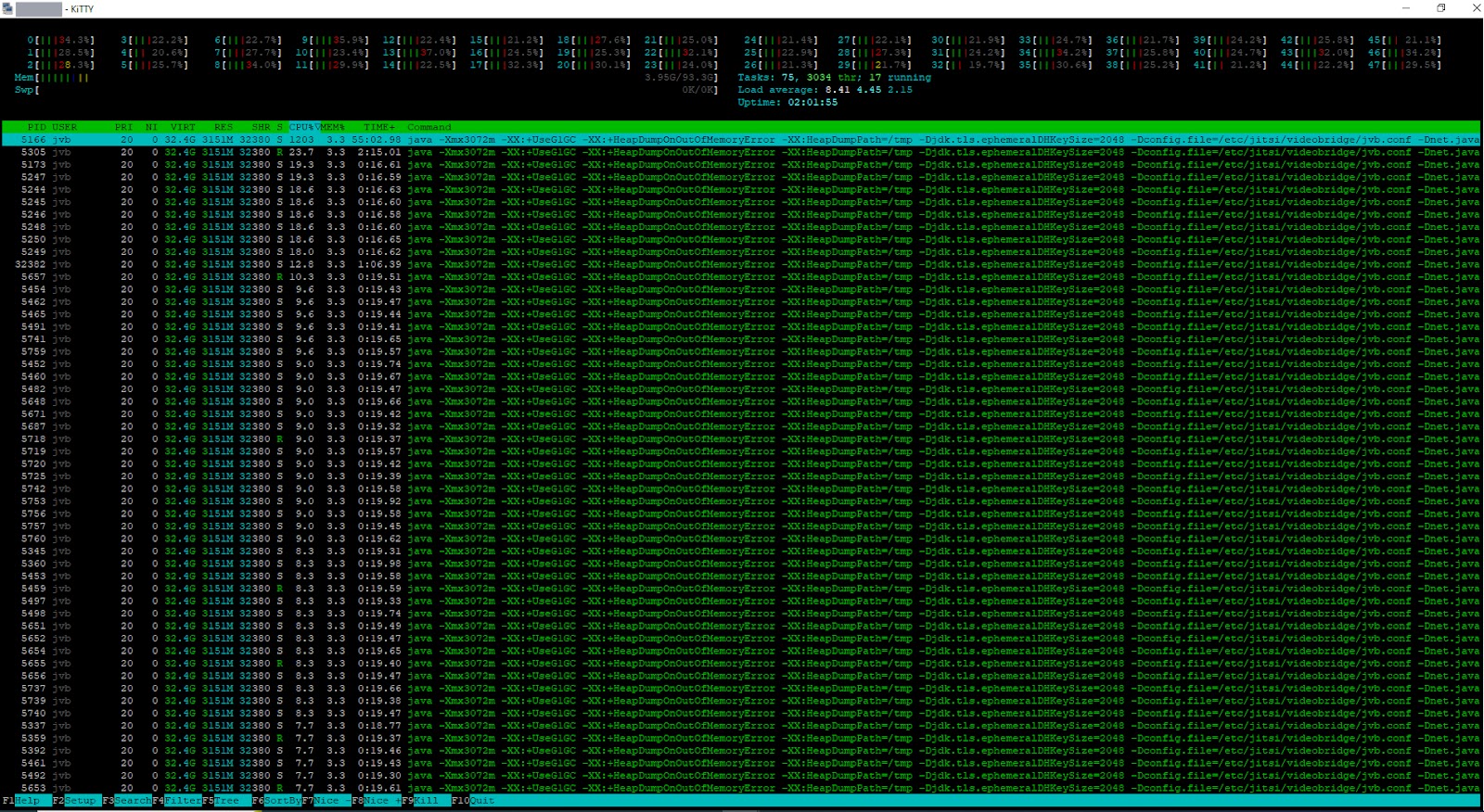
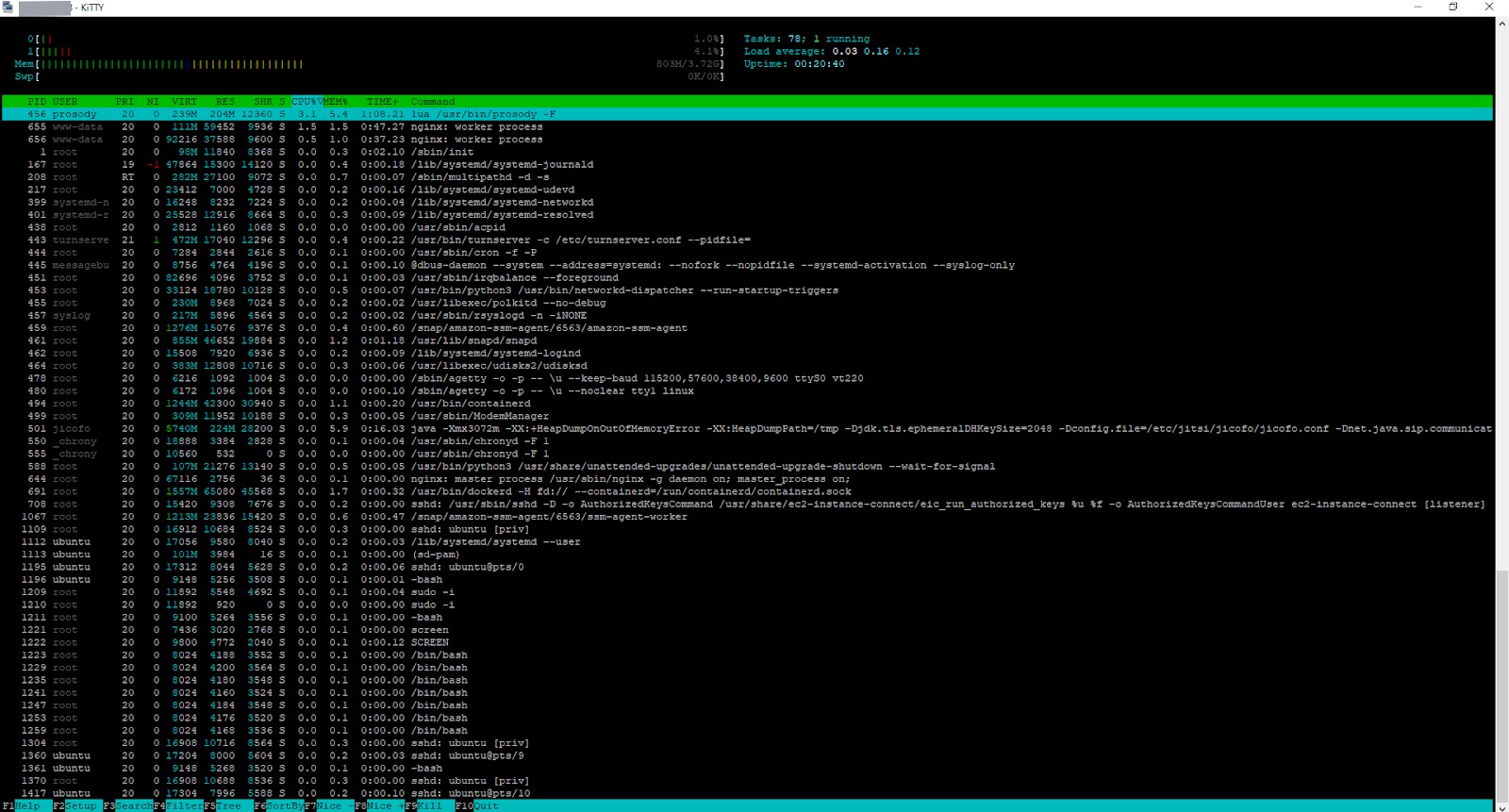
Our research commenced with the configuration of our AWS environment. We deployed two servers: one dedicated to Jitsi Meet, including Prosody and Jicofo, and the other allocated for the Jitsi Videobridge (JVB). For our initial testing phase, we opted for a c6a.large server, equipped with 2 vCPUs and 4GB of memory. Given Prosody's single-threaded nature, we selected a Compute Optimized server with just 2 cores to handle the task. To accommodate approximately 1000-1500 users, we used a c5a.12xlarge server boasting 48 vCPUs and 96GB of memory for JVB. After thorough server selection, we proceeded to install Jitsi Meet.
Simulating the Meeting:
At Meetrix, we leveraged our load-testing mechanism, using bots to replicate real meeting scenarios with video-enabled users. Our objective was to identify when the meeting would encounter issues.
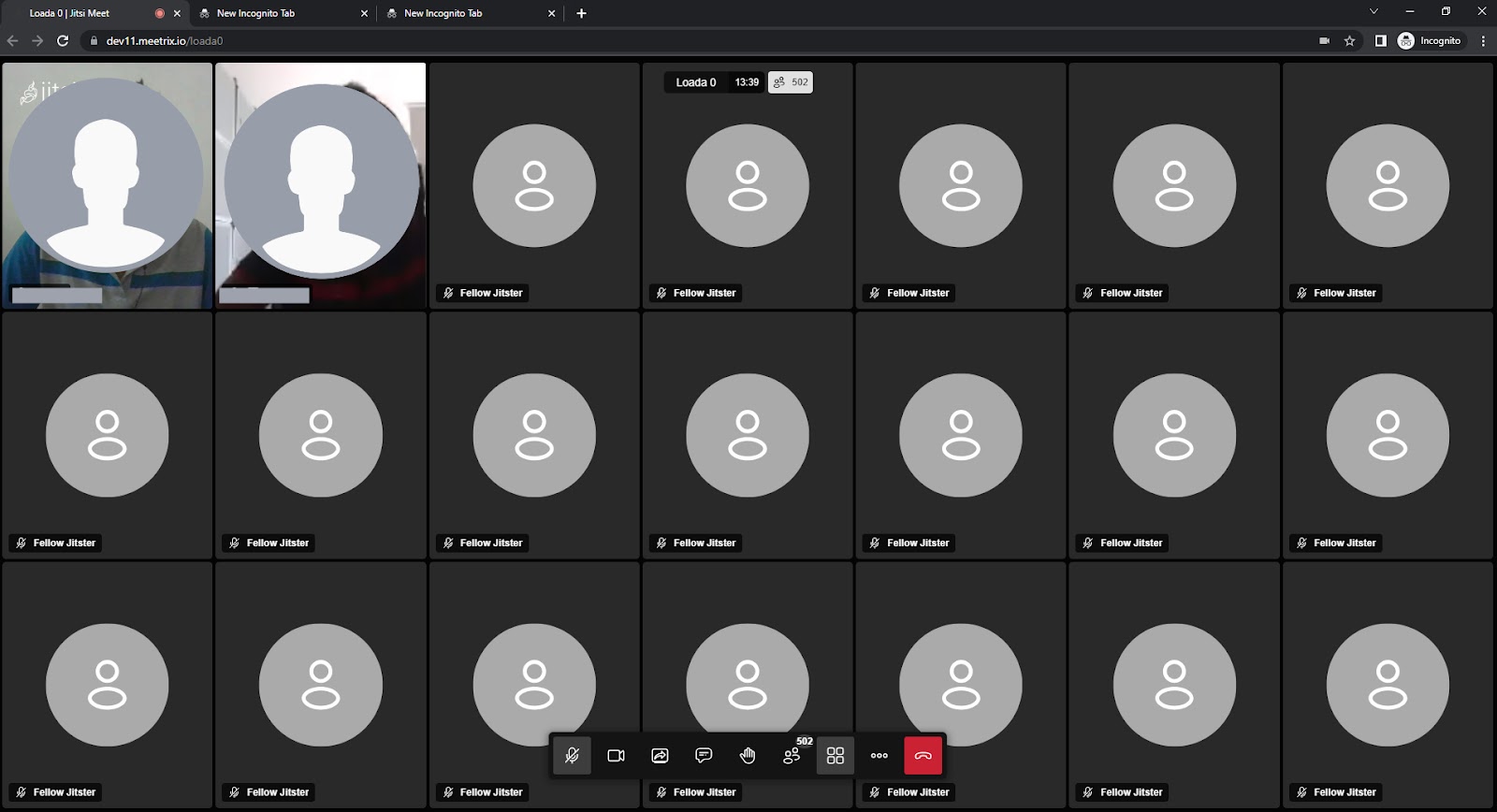
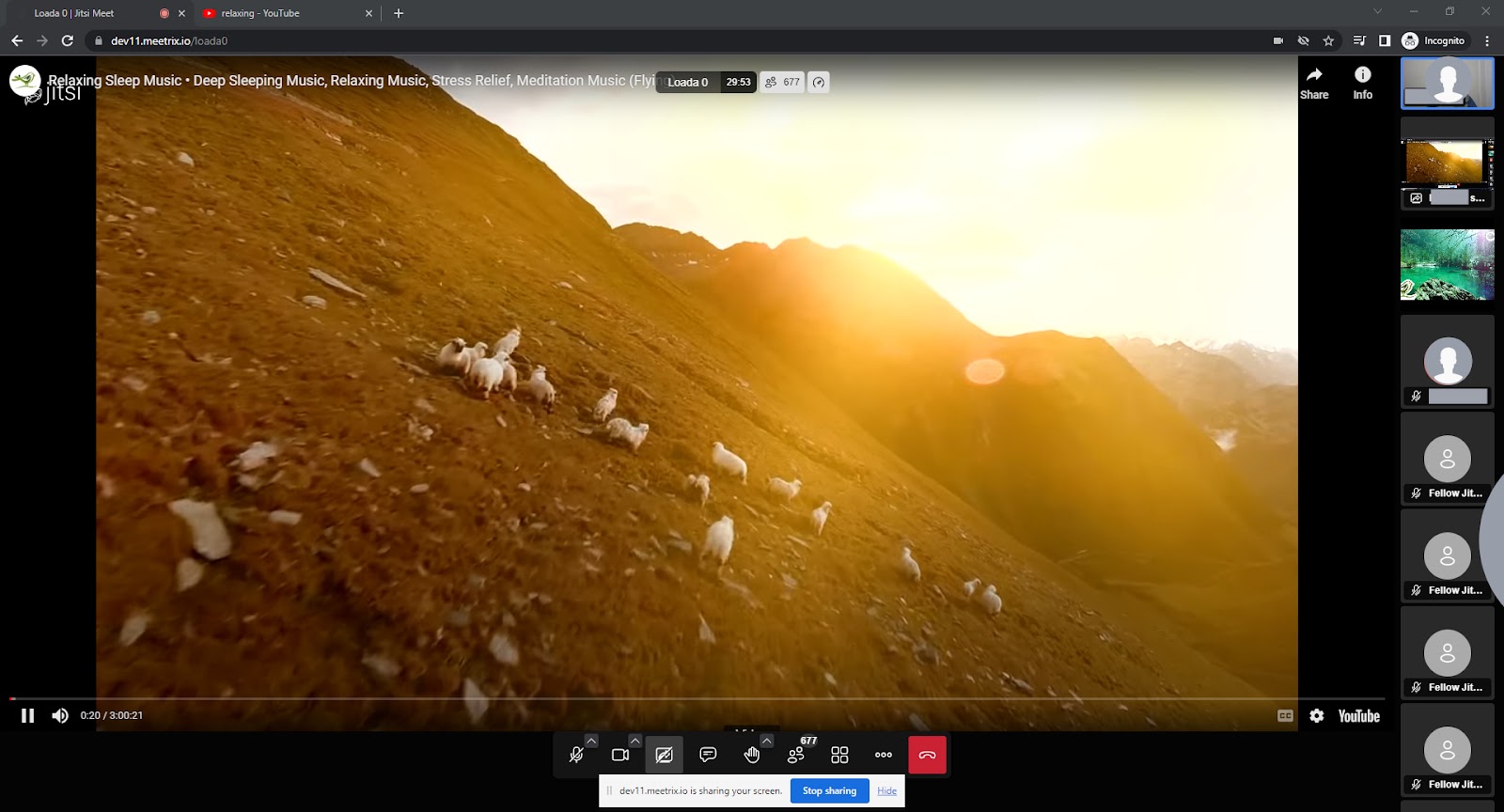
Upon setting up Jitsi Meet, we designated a dedicated meeting room (room name: load0 ) exclusively for this load test, populated with video-enabled bots.
Testing Phases
Phase 1: 250 participants. We incrementally added 50 bots at a time. No anomalies were found.
Phase 2: 500 participants. Stable functionality with minor UI delays.
Phase 3: 750 participants. The frontend showed signs of strain with occasional video disruptions.
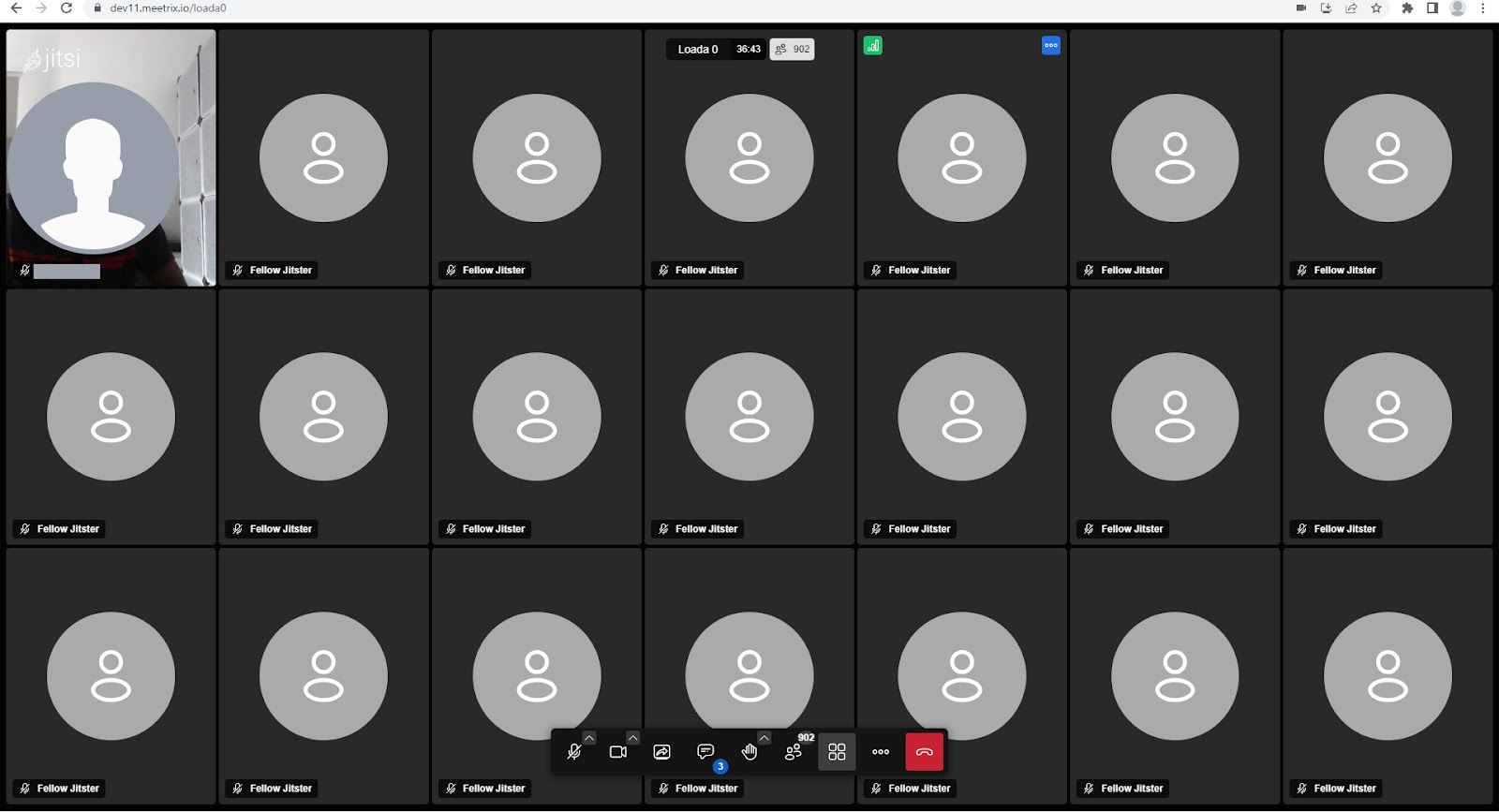
Phase 4: 1000 participants. Increased resource utilization, noticeable lag in the frontend.
Phase 5: 1250 participants. Worsened frontend performance, lag and usability issues.
Conclusion - Approach 1
In summary, our tests indicate that a single conference in Jitsi Meet without any customizations can comfortably accommodate around 200-250 participants without encountering issues. It's important to note that the host machine's browser performance plays a pivotal role in determining this limit; superior browser performance may allow for more participants. Please note that if you have made any frontend customizations, it may affect meeting performance and stability, making it difficult to achieve these targets.
Most of the challenges encountered were associated with the frontend, as no substantial backend issues were recorded. This suggests that a single shard of Jitsi Meet can effectively manage up to 1000 participants, though the precise number may fluctuate depending on factors such as network conditions, vitrual hardware capabilities.
Hosting Multiple Conferences
Setting up the Environment
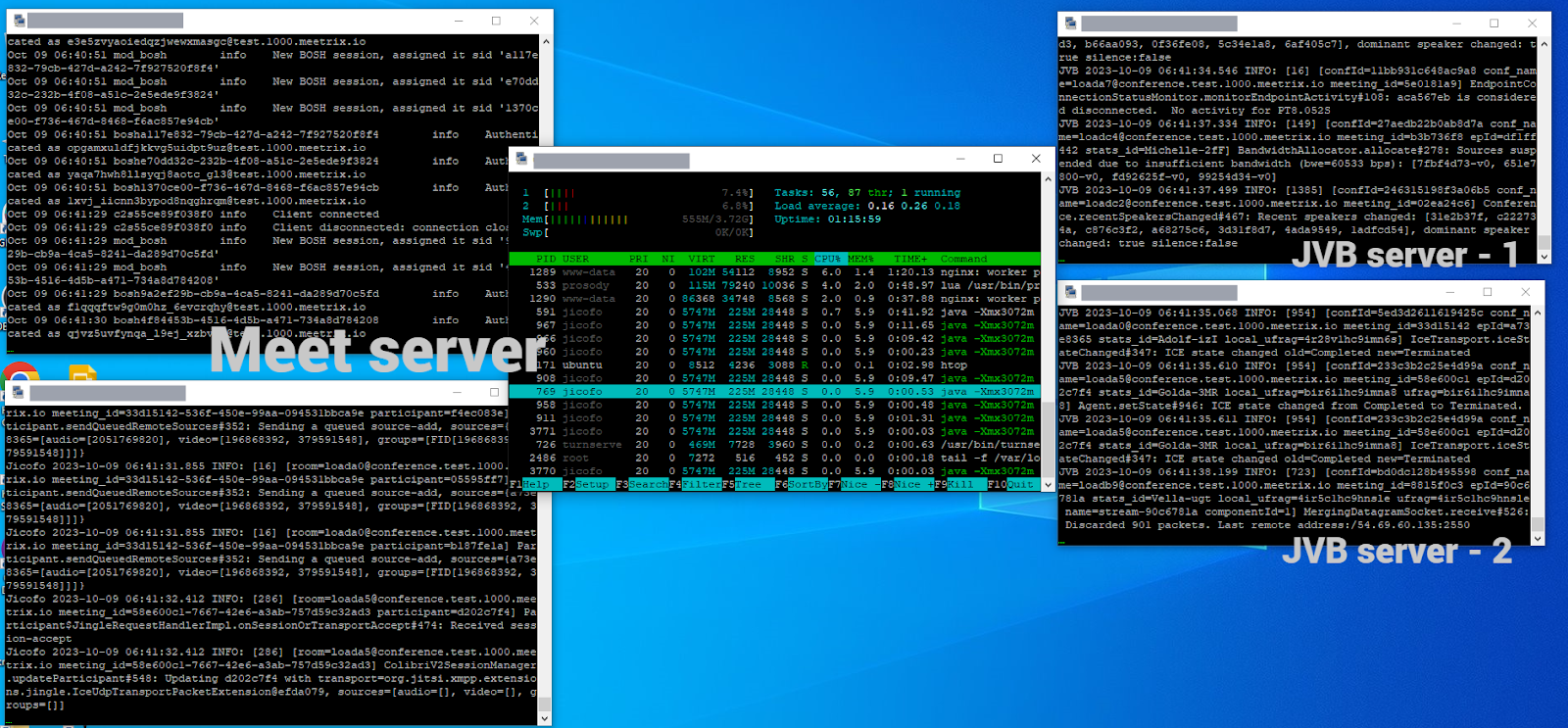
In our second approach, we employed Meetrix's terraform script for a rapid and low-overhead installation of a single shard setup. This setup consisted of a Jitsi Meet server ( c6a.large ), a Coturn server ( t3a.micro ), and a JVB autoscaling group (each utilizing c6a.xlarge ). As mentioned in the previous approach, we continued choosing compute-optimized servers for both the meet server and JVB servers.
Simulating the Meeting:
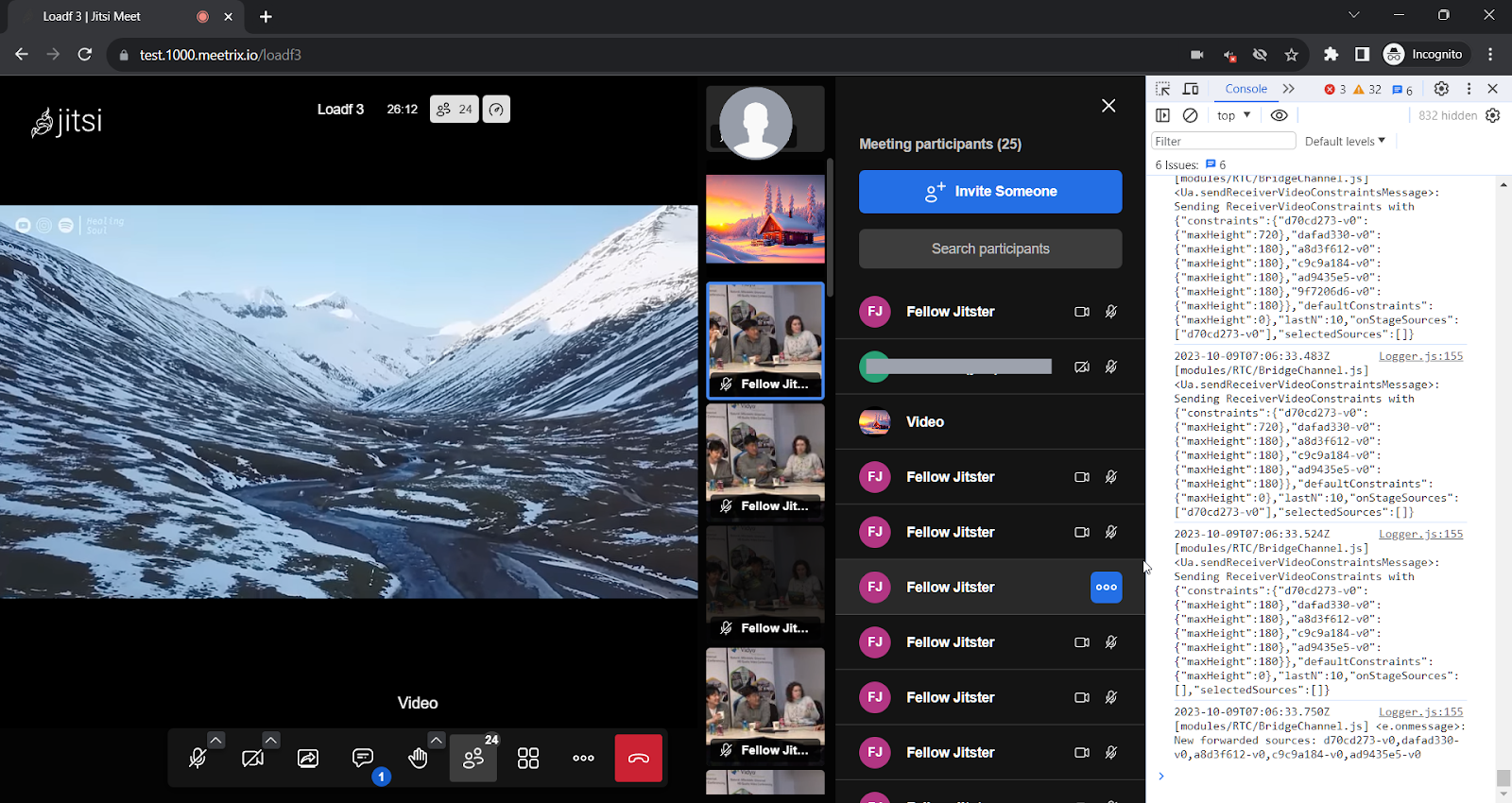
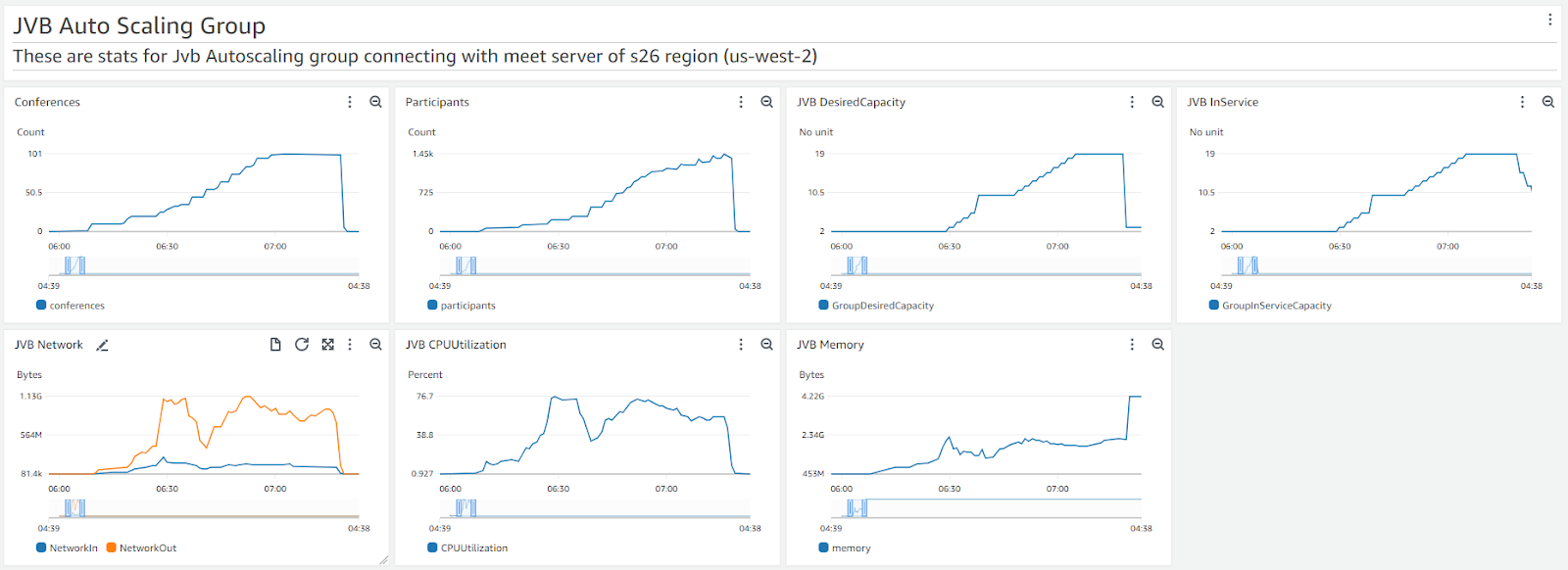
In this approach, our goal was to host 100 meetings, each with approximately 10 participants. This allowed us to ensure that a single shard could effectively handle 1000 users, even with a substantial number of concurrent meetings. We employed the same load testing mechanism as before, though with a slightly lower count of video-enabled bots (75%) compared to the previous approach (100%).
Testing Phases - Approach 2
Phase 1: 500 participants (50 meetings). No issues reported.
Phase 2: 1000 participants (100 meetings). Smooth operation without issues.
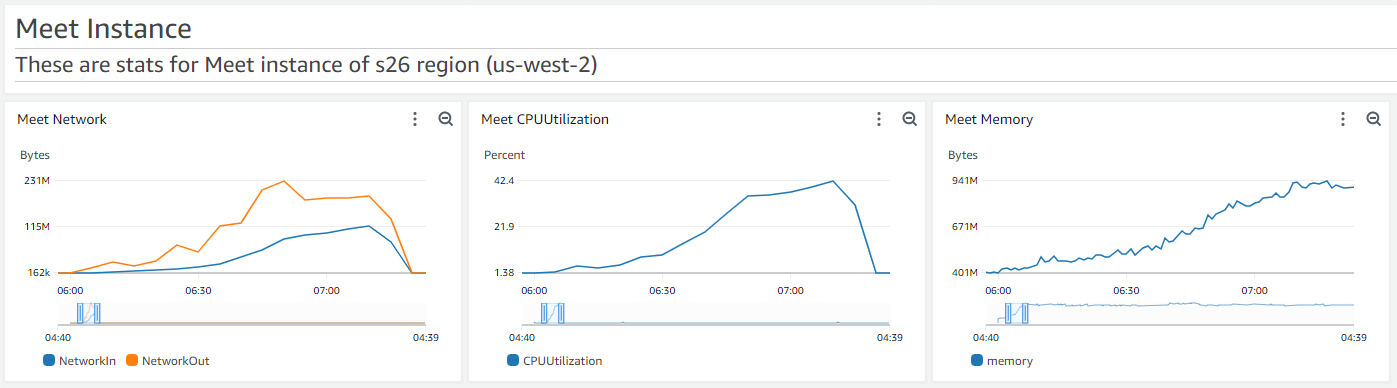
Phase 3: 1400 participants (100+ meetings). Stability achieved, Prosody at 20% CPU.
Conclusion - Approach 2
In summary, our tests demonstrate that a single shard of Jitsi Meet can effectively manage 1000 participants without encountering any issues. It is advisable to utilize a CPU-optimized server for Jitsi Meet to maximize performance.
As we continue to explore the boundaries of virtual meetings, Jitsi Meet remains a robust solution with the potential for even greater scalability in the future.
References:
Approach 1:
Approach 2:
Frequently Asked Questions
What is the recommended user limit for a single Jitsi conference?
Our tests indicate that a single Jitsi conference can comfortably accommodate around 200-250 participants without encountering major issues, although this depends on browser performance and customizations.
Can Jitsi handle 1000 concurrent users?
Yes, Jitsi can handle 1000 concurrent users, but it is more effective to distribute them across multiple conferences rather than in a single meeting room.
What are the main bottlenecks when scaling up users?
The main challenges are related to the front-end (browser performance) rather than the back-end. Issues include increased latency, video disruptions, and UI sluggishness.
Related Articles


Need help optimizing your Jitsi infrastructure?
If you need support scaling Jitsi Meet or assistance with managing over 1000 users on Jitsi, our team is available for commercial Jitsi support. We specialize in optimizing Jitsi Meet environments for large virtual events and can help with performance tuning, custom configurations, and scalability enhancements. Do not hesitate to contact us for expert advice to achieve optimal performance for your setup.
Contact Meetrix